
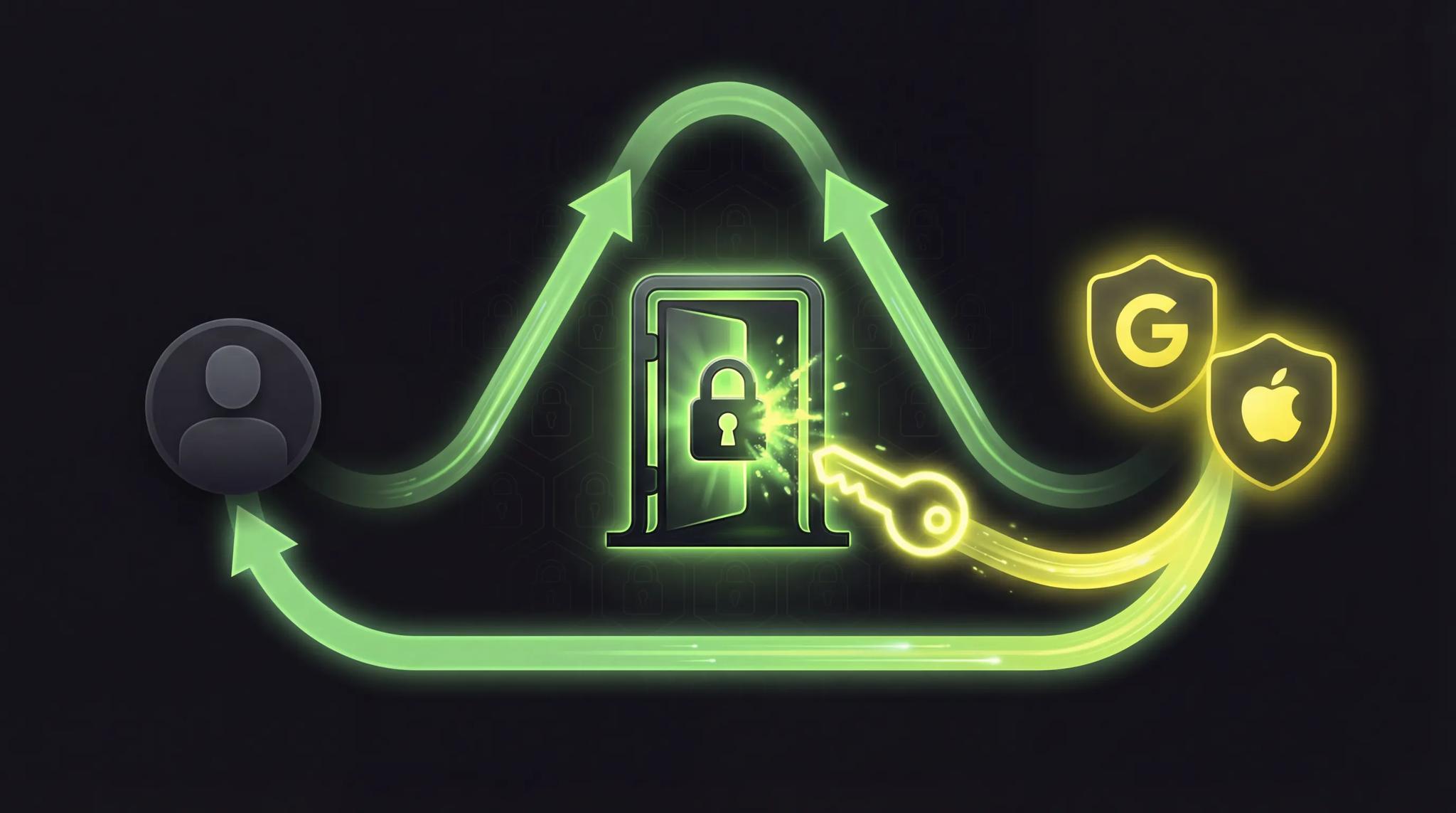

"Login with Google" -- you probably click that button multiple times a week. One click, you pick your Google account, and boom, you're logged in. No new password, no registration form. But have you ever wondered what actually happens technically behind that single click?
The answer is OAuth. And I'll show you why this protocol is brilliant -- and why it makes your app more secure.
Quick Summary
- OAuth 2.0 is an authorization framework that grants apps access to user data without sharing passwords
- The flow: App redirects to Google/Apple, user logs in there, app gets a token back
- OAuth is not an authentication protocol, but is often used for it (together with OpenID Connect)
- Social login (Google, Apple, Facebook) is built on OAuth 2.0
- Benefits: No password sharing, tokens expire, permissions are limitable (scopes)
The Hotel Key Card
Before we get technical, an analogy that clicks immediately.
You check into a hotel. At the front desk, you show your ID (proof of identity). The receptionist gives you a key card. This card opens your room and maybe the fitness center. But not the kitchen, not the manager's office, not other guests' safes.
The key card is not your ID. It doesn't prove who you are. It only gives you limited access to certain areas -- for a limited time. Tomorrow at checkout, it stops working.
That's exactly how OAuth works. Your app doesn't get your Google password (the ID). It gets a token (the key card) that gives it limited access to certain data -- for a limited time.
What Is OAuth?
OAuth stands for Open Authorization and is an open authorization framework. The current standard is OAuth 2.0, published in 2012 and since then the foundation for virtually every "Login with..." button on the internet.
Important to understand: OAuth is an authorization protocol, not an authentication protocol. The difference:
- Authentication = Who are you? (identity verification)
- Authorization = What are you allowed to do? (access rights)
OAuth handles the question "What is this app allowed to do?" -- not "Who is this user?" The reason OAuth is still used for login is an extension called OpenID Connect (more on that shortly).
The OAuth 2.0 Flow: Step by Step
Sounds complex, but it's explained in four steps:
Step 1: Redirect
The user clicks "Sign in with Google" in your app. Your app redirects them to Google's login page. Important: The user enters their password at Google, not in your app.
Step 2: Login & Consent
The user logs in at Google and sees a consent screen: "App XY wants to access your name and email address. Allow?" The user decides which data they want to share.
Step 3: Authorization Code
Google redirects the user back to your app -- with a short-lived authorization code. This code is like a pickup receipt: it proves that the user gave consent.
Step 4: Token Exchange
Your app sends the authorization code to Google and receives an Access Token (and optionally a Refresh Token) in return. With the access token, your app can now access the shared data.
The genius part: Your app never saw the user's password. Not during login, not after, never.
The Four Roles in OAuth
OAuth defines four actors:
- Resource Owner (you, the user): Owns the data and decides who can access it
- Client (the app): Wants to access the data
- Authorization Server (e.g., Google): Verifies the user and issues tokens
- Resource Server (e.g., Google's API): Holds the actual data and checks the token
In practice, the authorization server and resource server are often the same system (at Google, for example, both are Google). But conceptually, they are separate roles.
OAuth vs. Classic Login
Why not just use email and password? Here's the comparison:
| Criteria | Classic Login | OAuth / Social Login |
|---|---|---|
| Password storage | You must store passwords securely | No password stored with you |
| Security risk | Data breach = passwords compromised | Data breach = invalidate tokens |
| UX | Registration form, password rules | One click, done |
| 2FA | You need to implement it yourself | Google/Apple handle it |
| Trust | User must trust you | User trusts Google/Apple |
| Effort | Build auth system yourself | Integrate OAuth library |
The biggest advantage: No password sharing. When a user signs in to your app with Google, you never give them the opportunity to type their Google password into your app. The password stays with Google. In case of a data breach in your app, no passwords are affected.
Social Login in Your App
Social login is the most well-known application of OAuth. The three big providers:
Google Sign-In: The most popular social login. Works on Android and iOS. Almost everyone has a Google account.
Apple Sign-In: Mandatory if you offer social login in the App Store. Especially privacy-friendly: users can hide their real email address.
Facebook Login: Used to be the standard but has lost popularity. Still relevant in some target groups (e.g., gaming).
Code Example: Google Sign-In in Flutter
Here's what Google Sign-In looks like in a Flutter app:
import 'package:google_sign_in/google_sign_in.dart';

final GoogleSignIn googleSignIn = GoogleSignIn(
  scopes: ['email', 'profile'],
);

Future<void> handleGoogleSignIn() async {
  try {
    final GoogleSignInAccount? account = await googleSignIn.signIn();

    if (account != null) {
      // Get authentication data
      final GoogleSignInAuthentication auth =
          await account.authentication;

      print('Name: ${account.displayName}');
      print('Email: ${account.email}');
      print('Access Token: ${auth.accessToken}');
      print('ID Token: ${auth.idToken}');

      // Send access token to your backend
      // for verification and session creation
      await sendTokenToBackend(auth.accessToken!);
    }
  } catch (error) {
    print('Google Sign-In failed: $error');
  }
}

Future<void> handleSignOut() async {
  await googleSignIn.signOut();
  print('User signed out');
}
The google_sign_in package handles the entire OAuth flow for you. You define the scopes (what data you want), call signIn(), and get the token back. You then send the token to your backend, which verifies it with Google.
Important: Always verify the token server-side. Never only in the client. Otherwise, someone could send a forged token to your backend.
Why OAuth Is More Secure
OAuth offers several security advantages over a self-built login system:
No password sharing: The app never sees the password. If your database gets hacked, no passwords are affected.
Tokens expire: Access tokens typically last about an hour. Even if someone steals a token, it becomes useless pretty quickly.
Scopes let you limit access: You decide exactly what data the app can reach. Only email? Only profile? Read-only? If something goes wrong, the damage stays contained.
Users stay in control: They can revoke access at any time. On Google: Settings, Security, Third-party apps. Done, access gone.
On top of that, Google, Apple, and the other big providers invest billions in security. 2FA, anomaly detection, account protection -- you get all of that for free when you use OAuth.
OpenID Connect: OAuth + Identity
I mentioned that OAuth is actually only intended for authorization, not authentication. But everyone uses it for login. How does that fit together?
The answer: OpenID Connect (OIDC). It's a layer on top of OAuth 2.0 that adds identity information. Specifically, alongside the access token, you also get an ID Token -- a JWT (JSON Web Token) that contains information about the user: name, email, profile picture.
When you implement "Login with Google", you're actually using OpenID Connect, not pure OAuth. The difference usually doesn't matter for implementation (the libraries handle everything automatically), but it's good to know.
In summary:
- OAuth 2.0 = "This app may access my data" (authorization)
- OpenID Connect = "This user is Max Mustermann" (authentication)
- In practice: Both together = social login
Conclusion
Every time you click "Sign in with Google", there's a secure authorization flow running behind the scenes, and your password never leaves Google's servers.
For your own app, that means: use OAuth. Don't build your own login system when you can offer social login. Your users get a better UX (one click instead of a registration form), and you don't have to store passwords. Win-win.
If you want to dive deeper into social login, check out my article on Social Login in Apps. And if you're not sure yet what an API actually is -- that's the foundation OAuth builds on.
Frequently Asked Questions
No. OAuth 2.0 is a completely new protocol, not backwards compatible with OAuth 1.0. OAuth 1.0 was more complicated (cryptographic signatures for every request) and is barely used anymore. When someone talks about "OAuth" today, they almost always mean OAuth 2.0.
Social login is generally more secure than a custom password. Your Google or Apple account is protected by 2FA, anomaly detection, and other security mechanisms. If an app you gave access to gets hacked, you can revoke the token at any time without needing to change your password.
No, definitely not. There are ready-made libraries and SDKs for every platform: google_sign_in for Flutter, @react-oauth/google for React, Firebase Authentication as an all-in-one solution. You don't need to build the OAuth flow by hand. Use the official SDKs -- they're tested and secure.
