
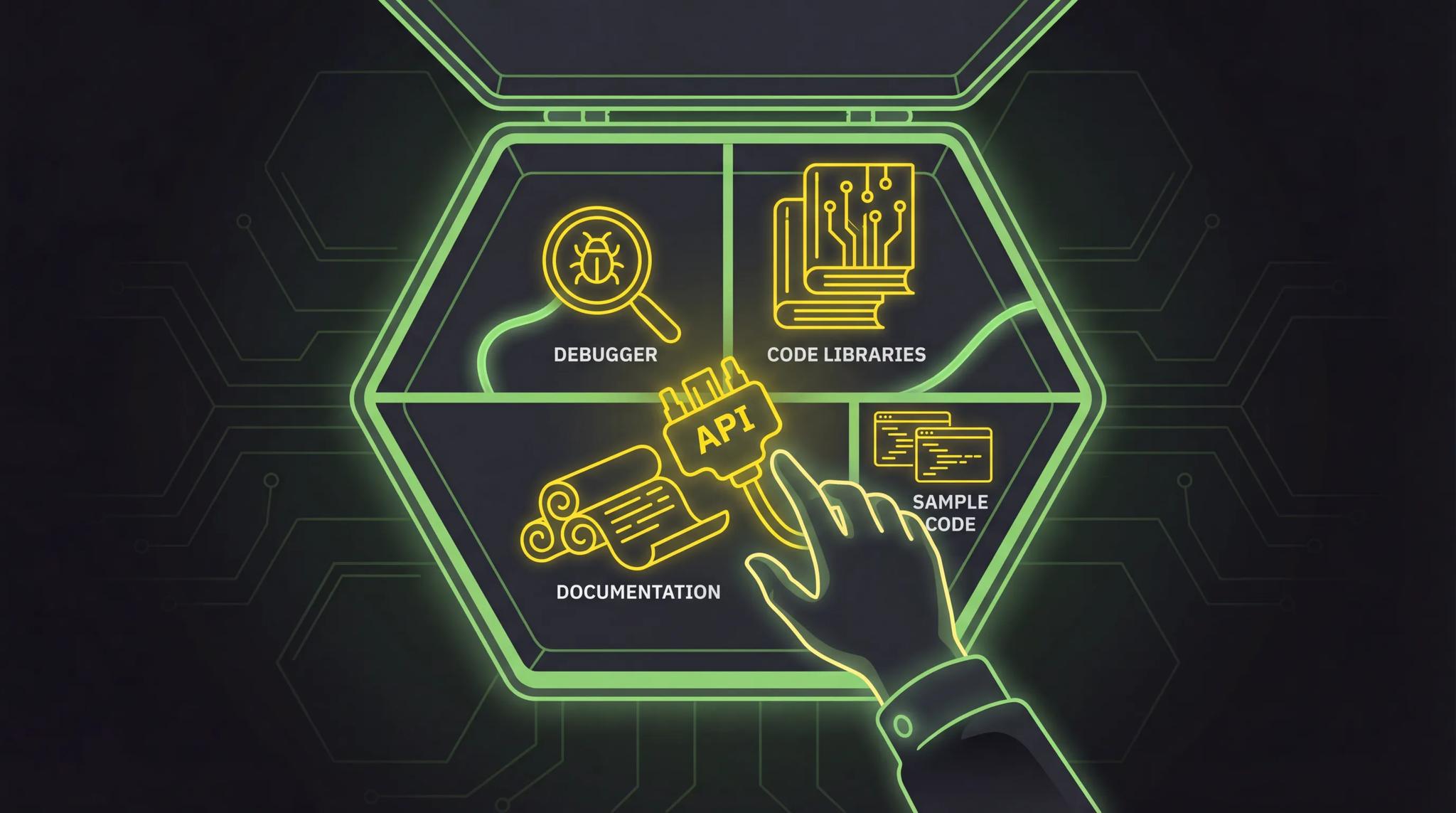

You're reading an article about app development and suddenly the term SDK pops up. Software Development Kit. Sounds like a box full of wrenches that some corporation ships to developers. That image isn't entirely wrong, actually. Let me explain what an SDK really is, why you need one, and how it differs from an API.
Quick Summary
- An SDK (Software Development Kit) is a package of tools, libraries, documentation, and sample code that helps you build software for a specific platform or service
- SDKs save you enormous amounts of time because you don't have to reinvent the wheel
- The difference from an API: an API is a single interface, an SDK is the complete toolkit including the API
- Well-known SDKs include the Flutter SDK, Firebase SDK, Stripe SDK, and AWS SDK
- As a developer, you use SDKs every day, often without consciously realizing it
The Toolbox Analogy
Imagine you want to install a sink. You could go to the hardware store and separately buy a pipe wrench, Teflon tape, a spirit level, a plumbing installation manual, and some spare gaskets. Or you grab the plumber's toolkit that has everything you need for exactly this job. Organized, coordinated, with instructions.
An SDK is exactly that toolkit, just for software.
If you want to build an app that sends push notifications through Firebase, for example, you could theoretically program everything yourself. Assemble the HTTP requests, implement the authentication, write the token management, build error handling. Or you use the Firebase SDK, which delivers all of that ready-made. Organized, tested, documented.
- General toolkit = your programming language and standard libraries
- Specialized toolkit = an SDK for a specific platform or service
- Single tool = an API (one interface without all the extras)
What Exactly Is an SDK?
SDK stands for Software Development Kit. It's a package that contains everything you need to develop software for a specific platform, operating system, or service.
A typical SDK includes these components:
Libraries
Pre-built code that you can integrate into your project. Instead of writing your own function to compress images or manage network requests, you use the library from the SDK. This saves hours to weeks of development time.
APIs (Programming Interfaces)
The API is the interface through which your code communicates with the service or platform. It defines which functions you can call and what data you get back. In the SDK, the API is already wrapped into an easy-to-use form.
Documentation
Good SDKs come with thorough documentation. What functions are available? What parameters do they expect? What comes back? Without documentation, an SDK would be like a toolkit without labels. You'd have the tools but wouldn't know what they're for.
Developer Tools
Many SDKs bring their own command-line tools, emulators, or debuggers. The Flutter SDK, for example, includes the entire Flutter CLI, a hot-reload mechanism, and analysis tools. The Android SDK includes the Android Emulator and build tools.
Sample Code
Code examples that show you how to use the SDK in practice. They get you to your goal faster than reading documentation alone.
SDK vs. API: What's the Difference?
This is the question I hear most often. And it's a fair one, because the terms are frequently used interchangeably even though they mean different things.
| SDK | API | |
|---|---|---|
| What is it? | A complete development package | An interface for communication |
| Contains | Libraries, API, docs, tools, sample code | Only the interface definition |
| Analogy | The entire toolkit | A single tool |
| Goal | Make development as easy as possible for you | Enable communication between two systems |
| Example | Firebase SDK for Flutter | Firebase REST API |
| Abstraction level | High (a lot is handled for you) | Low (you do everything yourself) |
In short: every SDK contains at least one API. But not every API comes as an SDK. You can use the Stripe API directly via HTTP requests without the Stripe SDK. But with the SDK, it's significantly more comfortable because it provides error handling, type safety, and helper functions.
If you want to truly understand the difference between APIs and SDKs, also read my detailed article What Is an API?.
Popular SDKs You Should Know
Flutter SDK
The Flutter SDK is my daily tool. It contains everything you need to develop cross-platform apps for Android, iOS, web, and desktop using Dart. The Flutter CLI, the widget catalog, hot reload, analysis tools, and the Dart compiler. If you want to learn more about Flutter, check out my article Learning Flutter in 2026.
Firebase SDK
Firebase by Google is a backend-as-a-service. The Firebase SDK is available for Dart, JavaScript, Swift, Kotlin, and more. It abstracts the entire communication with Firestore, Authentication, Cloud Messaging, and dozens of other Firebase services.
Stripe SDK
If you want to accept payments in your app, the Stripe SDK is your best friend. It handles the secure processing of credit card data, subscriptions, and checkout flows. Without the SDK, you'd have to deal with PCI compliance yourself. You don't want that.
AWS SDK
Amazon Web Services offers SDKs for practically every programming language. They make accessing S3 storage, Lambda functions, DynamoDB, and hundreds of other AWS services as easy as a function call.
Practical Example: Firebase SDK in Dart
Enough theory. Here's what working with an SDK looks like in practice. Let's say you want to register a user via email and password in your Flutter app.
Without SDK (raw HTTP request)
import 'dart:convert';
import 'package:http/http.dart' as http;

Future<void> registerUser(String email, String password) async {
  final response = await http.post(
    Uri.parse('https://identitytoolkit.googleapis.com/v1/accounts:signUp?key=YOUR_API_KEY'),
    headers: {'Content-Type': 'application/json'},
    body: jsonEncode({
      'email': email,
      'password': password,
      'returnSecureToken': true,
    }),
  );

  if (response.statusCode != 200) {
    final error = jsonDecode(response.body);
    throw Exception(error['error']['message']);
  }

  final data = jsonDecode(response.body);
  print('User ID: ${data['localId']}');
}
You need to know the URL, format the parameters correctly, parse the response yourself, and evaluate errors manually. It works, but it's tedious.
With Firebase SDK
import 'package:firebase_auth/firebase_auth.dart';

Future<void> registerUser(String email, String password) async {
  try {
    final credential = await FirebaseAuth.instance
        .createUserWithEmailAndPassword(
      email: email,
      password: password,
    );
    print('User ID: ${credential.user?.uid}');
  } on FirebaseAuthException catch (e) {
    if (e.code == 'email-already-in-use') {
      print('This email is already registered.');
    }
  }
}
Less code, type-safe, with built-in error handling and descriptive error codes. The SDK handles the HTTP requests, token management, and serialization behind the scenes. You simply call createUserWithEmailAndPassword and get a typed result back.
That's the difference an SDK makes.
When Do You Need an SDK?
Not always. Here's a simple decision guide:
You need an SDK when:
- You regularly work with a platform or service
- The service is complex and offers many features (Firebase, AWS, Stripe)
- You want type safety and autocompletion
- You don't feel like building HTTP requests manually and parsing errors yourself
You don't need an SDK when:
- You're only calling a single API endpoint once
- There's no official SDK for your language
- The SDK is outdated or poorly maintained
- You want minimal dependencies and the API is simple enough
In practice, I use an SDK for most services when one is available. The time savings are simply too significant to ignore.
How to Choose the Right SDK
If you have a choice, pay attention to these points:
- Prefer official SDKs - The provider maintains them and keeps them current
- Active maintenance - When was the last update? Are issues being addressed?
- Good documentation - Without docs, the best SDK is worthless
- Community size - More users mean more tutorials, examples, and StackOverflow answers
- Compatibility - Does the SDK fit your language, your framework, and your target platform?
Conclusion
An SDK is a complete toolkit that massively simplifies development for a specific platform or service. It contains libraries, APIs, documentation, tools, and sample code - all coordinated and ready to use.
The difference from an API: the API is the interface. The SDK is the complete package that makes that interface comfortable to use. You can work without an SDK, but with one you work faster, safer, and more comfortably.
If you want to dive deeper into app development, SDKs are your daily bread. And if you want to understand the term API in more detail, read my article What Is an API?.
Frequently Asked Questions
Most SDKs are free. The Flutter SDK, the Firebase SDK, the AWS SDK - they all cost nothing. The providers make their money from the services behind them, not from the SDK itself. There are exceptions with specialized enterprise SDKs, but for the common platforms you pay nothing.
Yes, and that's actually the norm. A typical Flutter app simultaneously uses the Flutter SDK, the Firebase SDK, maybe the Stripe SDK for payments, and additional SDKs for analytics or push notifications. As long as there are no conflicts between the dependencies, this works without issues.
That's a real risk. When an SDK becomes outdated and is no longer updated, you won't get bug fixes or compatibility updates. In that case, you have three options: switch to an alternative SDK, use the API directly without an SDK, or switch to a community-maintained fork. That's why I always look for active maintenance and a large community when choosing an SDK.
