

You've probably heard of Git. Every developer uses it, but what's it actually about? Don't worry, you don't need a computer science degree for this. Git is basically a time machine for your code.
I still remember my first project without Git. One wrong click, three hours of work gone. Never again.
Video: Git Simply Explained

Git: Your Time Machine for Code
Imagine you're building an app. You add a new feature, test it, and suddenly nothing works anymore. Everything's broken. Without Git, that means: hit Ctrl+Z and hope you somehow get back to a working state. With bad luck, everything's gone.
With Git, you can simply jump back to a state that was working. Without the hassle of manually saving every intermediate state.
How Git Works
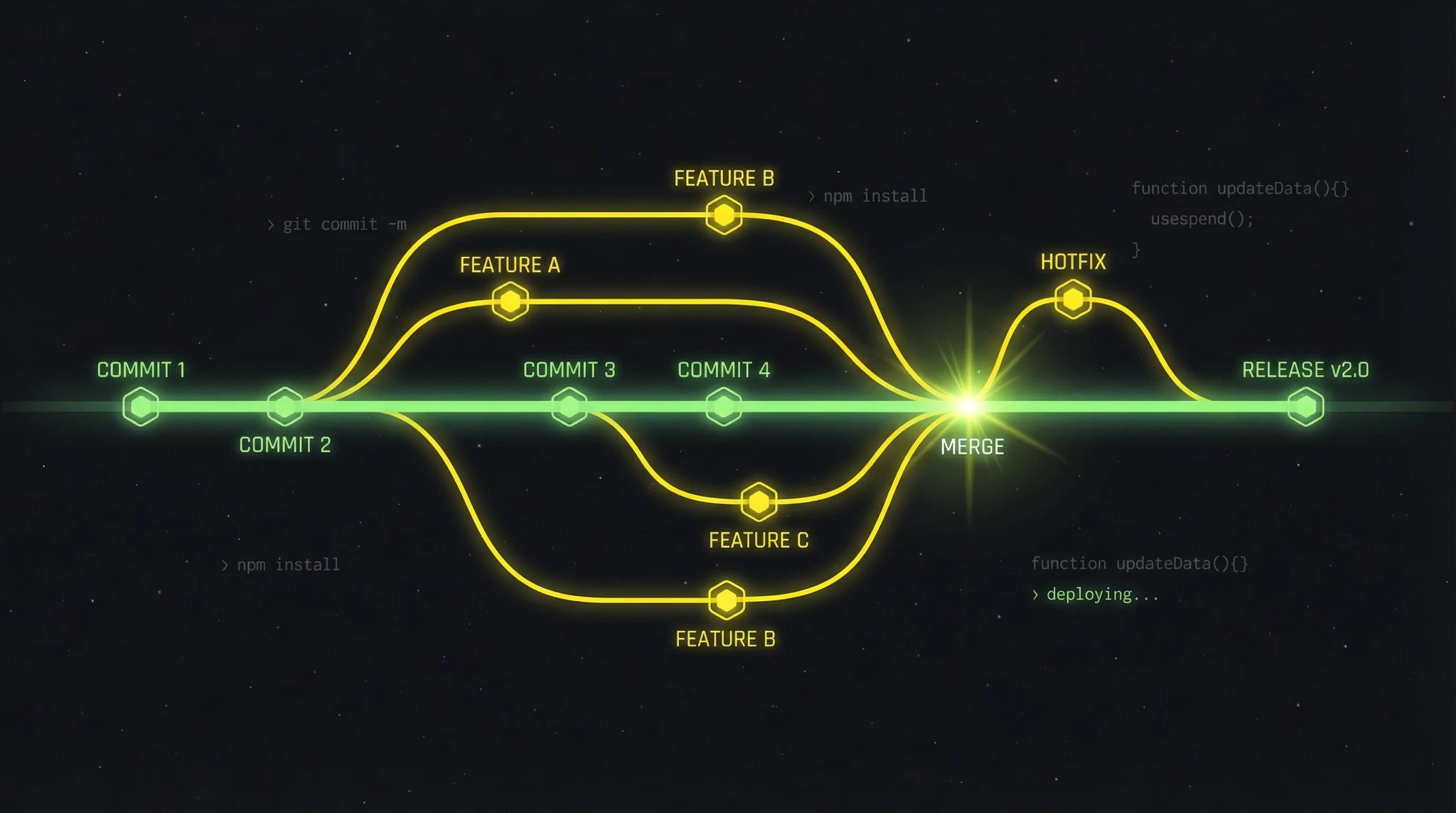
Git saves snapshots of your project, called commits. A commit is like a save point in a video game. Or like a bonfire in Dark Souls. Without save points, every boss fight would be a nightmare. You can return to an older commit at any time.
The most important commands:
git add .           # Prepare changes for commit
git commit -m "Added login button"   # Create save point
Tip: Always write your commit messages in English. When you later work with developers from other countries, it's much more practical. The official GitHub Documentation offers detailed best practices on this.
Don't worry, the commands sound like magic at first. After a week, git add and git commit will type themselves.
Branches: Working on Features in Parallel
The genius part of Git is branches, essentially offshoots of your project. You have a main branch (the main version that's in the App Store) and can create a separate branch for each new feature.
Example: You want to add a new login button. You create a feature branch, work on it. If a bug appears in the main version meanwhile, you can switch to the main branch, fix the bug, and finish your feature later.
In the end, you merge everything back together. Cleanly separated, no conflicts. If you want to know how professional app development works, such workflows play a central role. By the way: When multiple developers work on the frontend and backend of an app, Git becomes truly indispensable.
Git vs. GitHub: What's the Difference?
This often causes confusion:
- Git is the program on your computer. It works completely offline and manages your versions locally.
- GitHub is like Google Drive for code. You upload your project and can access it from anywhere and collaborate with others.
Without GitHub, your project only exists on your machine. With GitHub, it's safely stored in the cloud. If your laptop dies, your code is still there.
Push and Pull: Syncing with the Cloud
You need two commands for working with GitHub:
- git push: Uploads your local state to the cloud
- git pull: Gets the latest version from the cloud to your machine
This becomes important when multiple people work on the same project. Everyone pushes their changes, and with pull you get the others' updates.
Why Git is Indispensable
Even for small projects, I use Git. The advantages:
- Security: All versions are backed up in GitHub
- Traceability: You see exactly who changed what and when
- Collaboration: Multiple developers can work simultaneously
- Experiments: Test new ideas in branches without risking the main version
Git for Beginners: First Steps
The easiest way to learn Git: Just do it. Install Git, create a folder, type git init. You already have your first repository. From now on, you can set save points with git add and git commit.
Don't be afraid of mistakes. Git is made to undo mistakes. Experiment, try things out, learn along the way.
Conclusion
Git sounds complicated at first, but after a few hours of practice, it's totally intuitive. The effort is worth it: you'll never lose code again and can work on projects with peace of mind. You'll make mistakes. And that's exactly what Git is for. It forgives everything.
My tip for getting started: Install Git, create a small test project, and play around with the commands. The Git Cheat Sheet from GitHub Education has all the important commands at a glance. If your repository should later be built and tested automatically, take a look at CI/CD.
Frequently Asked Questions
No, as a client you don't need to master Git. Your developer or agency handles version control. However, understanding the concept helps you participate in discussions about releases or bugfixes.
Git is the program on your computer that manages versions. Completely offline. GitHub is a cloud platform where you can store and share your Git repositories. There are also alternatives like GitLab or Bitbucket.
Git is extremely useful for solo developers too. You have a complete history of your changes, can test experiments in branches, and have an automatic backup in the cloud with GitHub.
No problem. You can always return to an earlier commit. Git saves all versions, so you can easily undo mistakes. That's why committing regularly is so important.
